Make your drum kit look pro in FL Studio, without touching a single .nfo file. Give every folder its own artwork, colour and hover tip, watch it in a live FL browser preview, then build it in one click.

If you've ever made the folders in your kit show artwork in FL Studio, you know the drill.
// 808s.nfo (must sit next to the "808s" folder)
Color=$5dff00
IconIndex=-101
HeightOfs=5
SortGroup=3
Tip=My Kit - 808s
Bitmap=Images/808s.png
----------------
Color=, IconIndex=, HeightOfs=, SortGroup=, Tip= and Bitmap= lines by hand, for every single folder.808s needs 808s.nfo) and save it next to the folder, not inside it. One typo and FL ignores it.$RRGGBB code, and get every image path right (Images/kicks.png), down to the folder name.…times every folder, in every kit. An hour or more of fiddly busywork.
A few minutes, start to finish. Then get back to making sounds.
These are recordings of the real app.
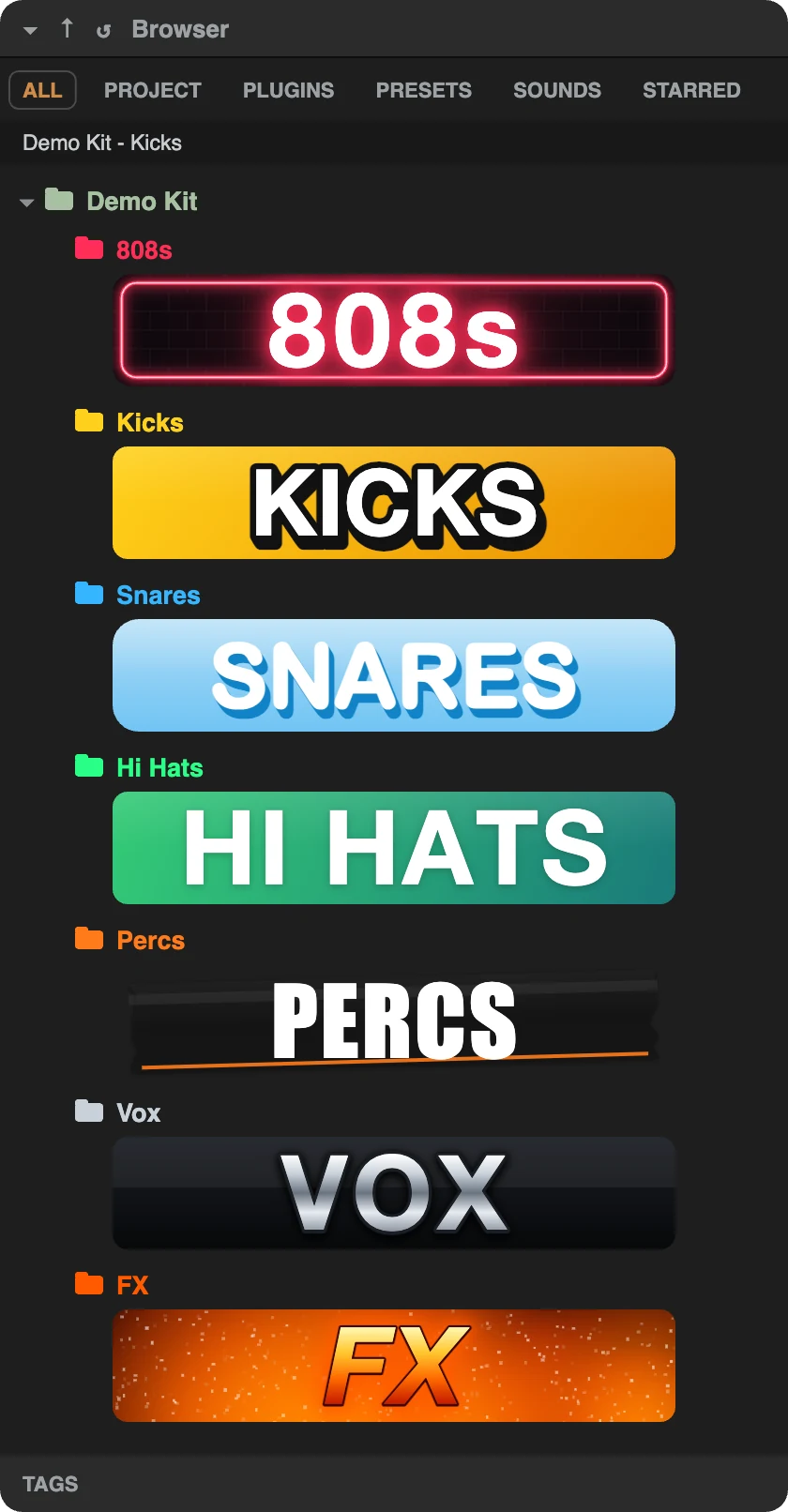
The right-hand panel is a faithful copy of FL Studio's browser: the tabs, the folder tree, the coloured names and the artwork under each folder. Change a colour, a tip or a picture and it updates straight away, so what you see is what your buyers get. Hover a folder to read its tip, just like in FL.
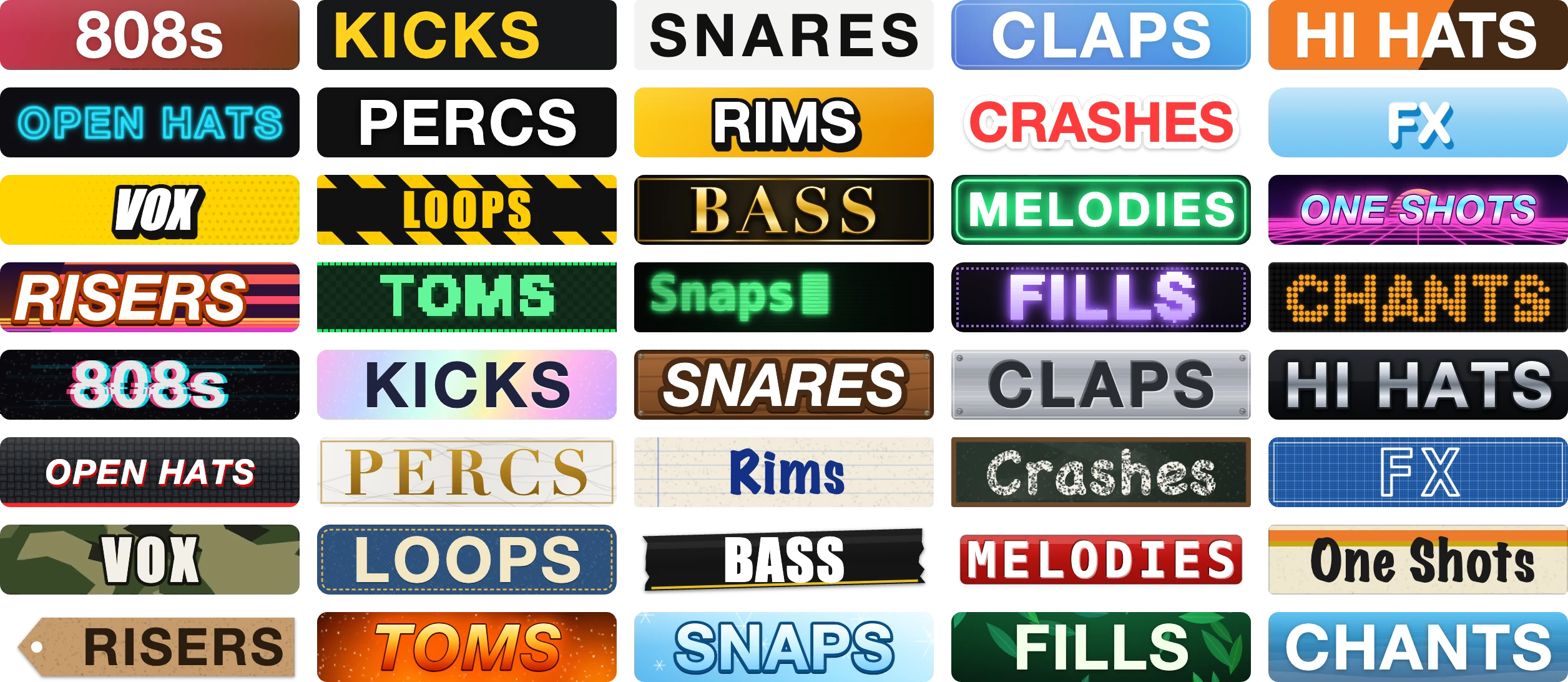
Pick from 40 styles (neon, gold, 8-bit, wood, chrome, tape, LED, glitch and more), then make it yours: font, size, letter spacing, colours, outline, shadow and glow. Drop in your own photo behind the text and drag it into place. Every sign is drawn by the app, so it's sharp at any size.
Got 15 folders? Pick one style and NFO Tool makes a sign for every folder at once, each with its own name and colour. Do just the folders without artwork, or redo the lot. Changed your mind? Undo it.
Build writes a .nfo file beside every folder and puts each image in the right Images folder, with the paths, names and colour codes FL expects. Sub-folders work too. Your buyers don't need the app: the look is part of the kit, on Mac and Windows.
Start a new kit with the standard folders (808s, Kicks, Snares, Claps, Hi Hats…) in one click.
Drop images on a folder to use them as artwork, or drop sounds to copy them in.
Put your logo or kit cover at the very top of the kit in FL's browser.
Finds empty folders, names that break on Windows and folders that aren't styled yet.
Writes a README for your buyers and exports a ZIP that's ready for your store.
Nothing is written until you press Build, and deleted folders go to the Trash.
Use one style for the whole kit, or mix them.
It's a small file FL Studio reads to style a folder in its browser: the folder's colour, its hover tip and the picture shown under it. NFO Tool writes them for you.
No. The look lives in the kit's own files, so anyone who opens your kit in FL Studio sees it.
Yes. Open it and NFO Tool reads the existing .nfo files and artwork, so you can change anything and build again.
Yes. NFO Tool runs on both, and the kits it makes look the same in FL Studio on either.
No. Pay once (£9.99) and it's yours. Your serial number works on 2 computers.
No, you can style a kit anywhere. FL Studio is where the result shows up.
NFO Tool is one of a growing set of small apps for producers who sell sounds.
All producer toolsFL Studio is a trademark of Image-Line. NFO Tool isn't made by or affiliated with Image-Line.